Run your whole clinic from one screen
The paper register, the queue at the counter and the patient files in the cupboard, replaced by one simple system. Your desk gives a token in under a minute; you see every patient's full history; patients book from their phone.


Three jobs at the counter. One person, one screen.
Most clinics run the day on a register: one person takes the fee and writes the entry, another takes BP and asks what's wrong, a third keeps track of who goes in next. Patients call, nobody can pick up, so they stand in line to get a number.
- 1Find or register the patientBy ID, phone or name. New patients get an ID they keep for next time.
- 2Fee, token and vitals togetherThe fee is worked out by your rules: new, follow-up, or free if they're back within a few days.
- 3The queue runs itselfThe doctor (or the desk) presses one button; the waiting-room TV shows who's next.
Everything a clinic does in a day
One system for the desk, the doctor, the owner and the patient. Works on a desktop, a tablet at the counter or a phone.
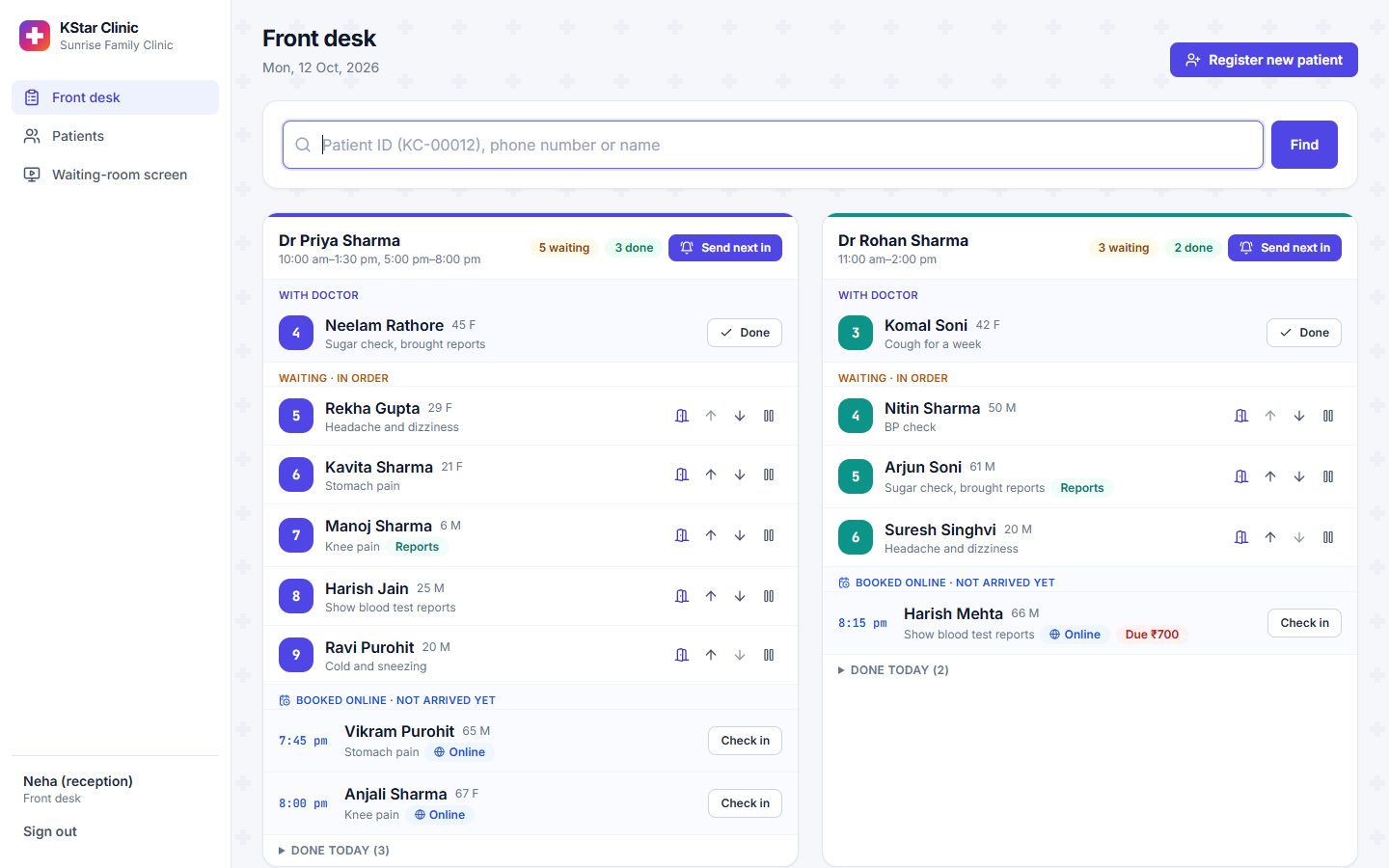
A token in under a minute
Search, choose the doctor, tap the complaint, type the vitals, take cash or UPI. Done.
- Each doctor's queue side by side, in order
- Move someone up, mark them stepped out, send them in
- Online bookings check in with one tap
- Printable receipt with the patient's ID
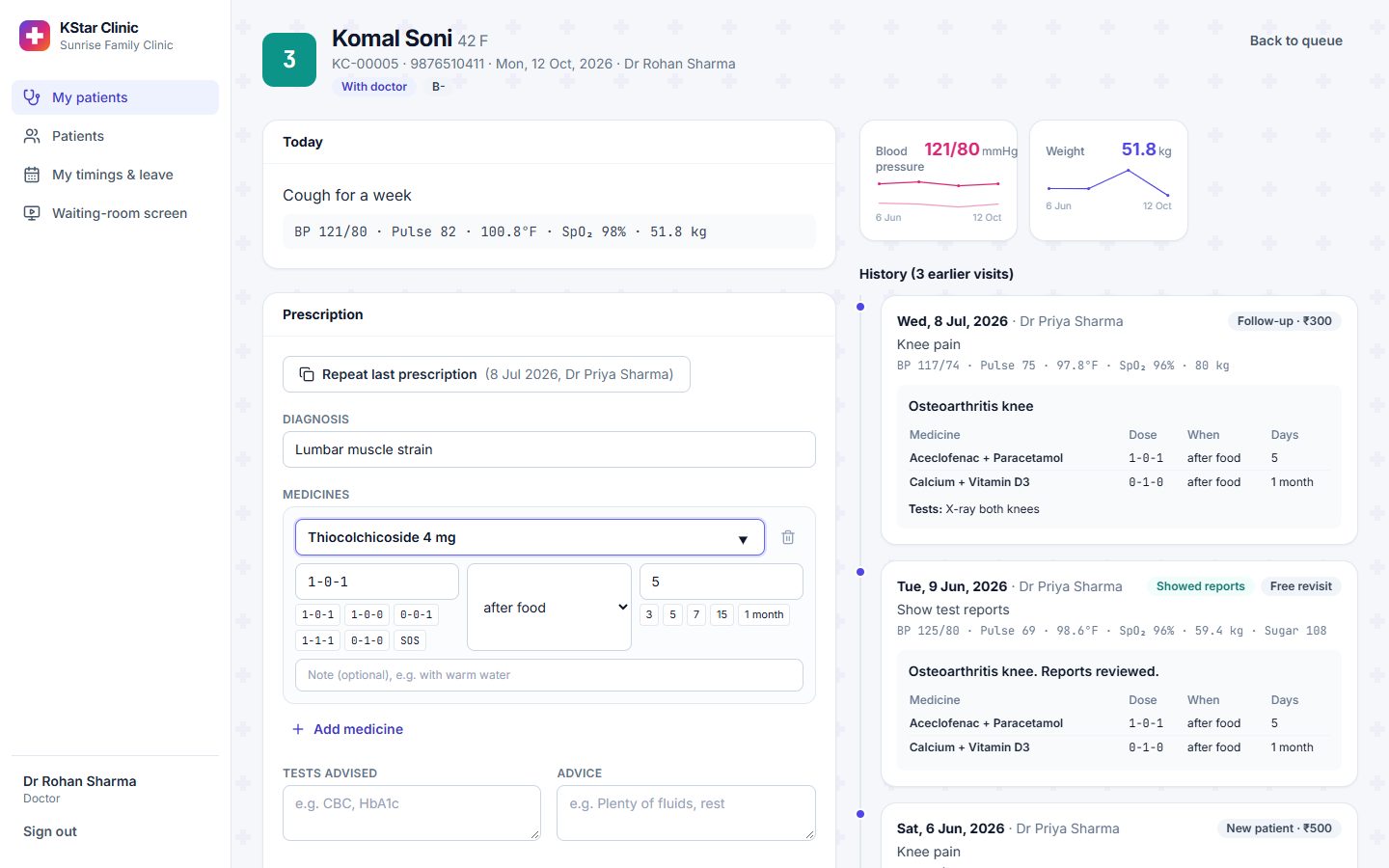
The whole history, before you say hello
Every past visit, prescription and report in one timeline, with BP, weight and sugar trends.
- Type the prescription or photograph your handwritten one
- "Repeat last prescription" in one tap
- Finish and call the next patient from the same screen
- Prints on your letterhead
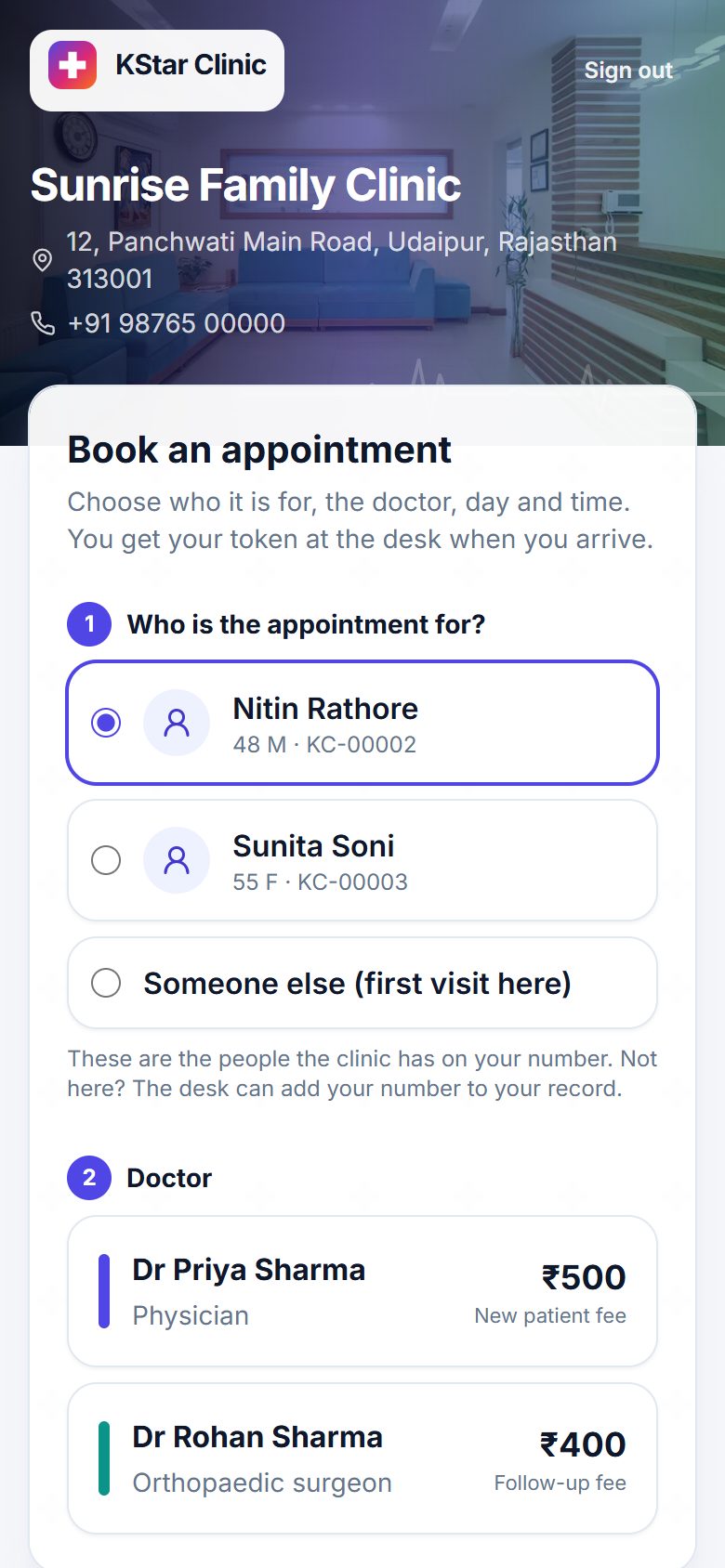
Booking that answers the phone for you
Patients pick the doctor, day and time, pay online or at the clinic, and see their prescriptions afterwards.
- Sign in with a mobile number; the whole family shows up
- Doctor leave and holidays blocked automatically
- UPI and card payments (Razorpay on live clinics)
- Prescriptions and reports on their phone

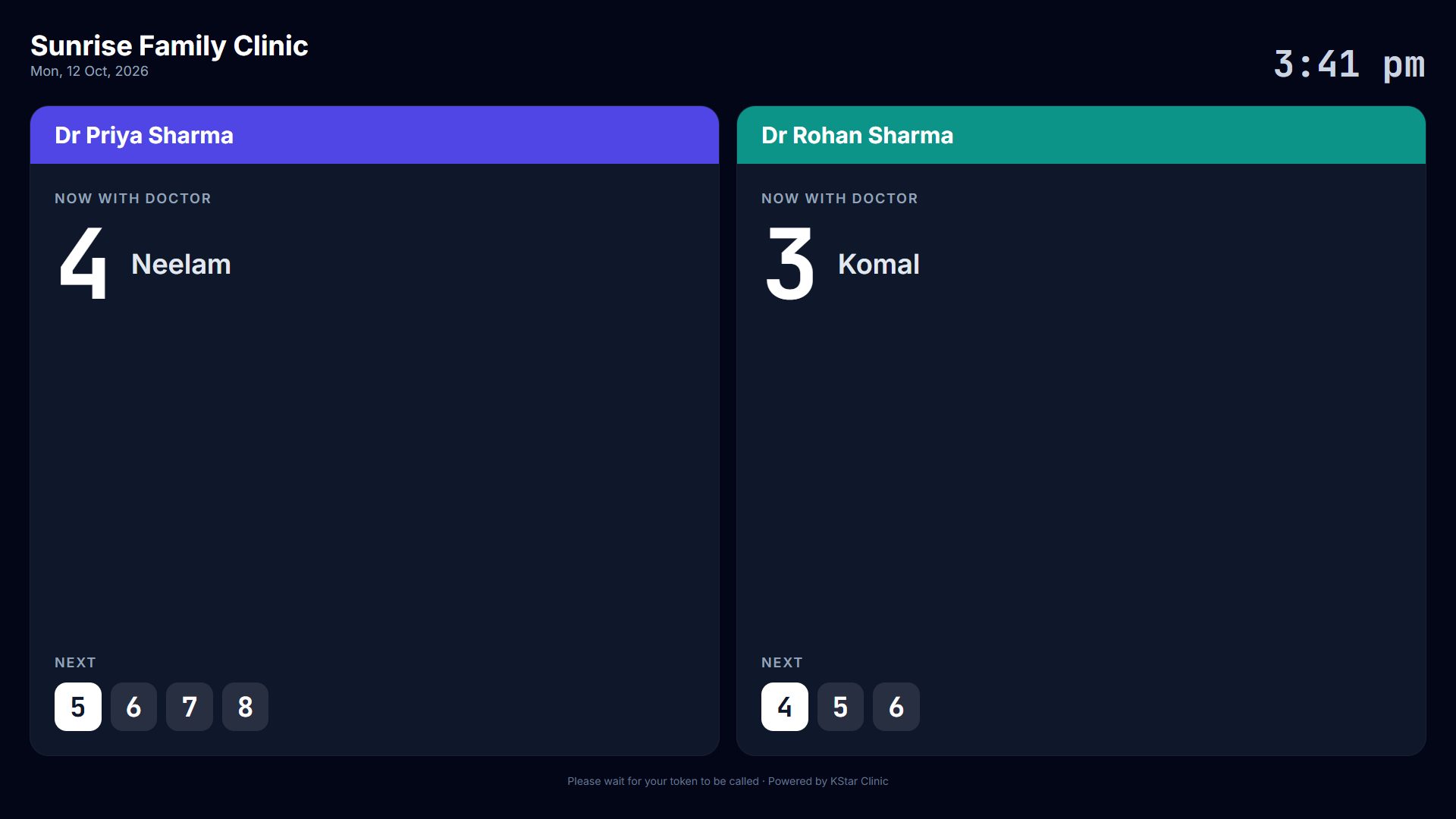
The TV tells patients whose turn it is
Put the screen on any TV with a browser. It changes by itself as the queue moves.
- Token and first name only: no phone numbers or problems on screen
- One column per doctor
- Patients stop asking at the desk
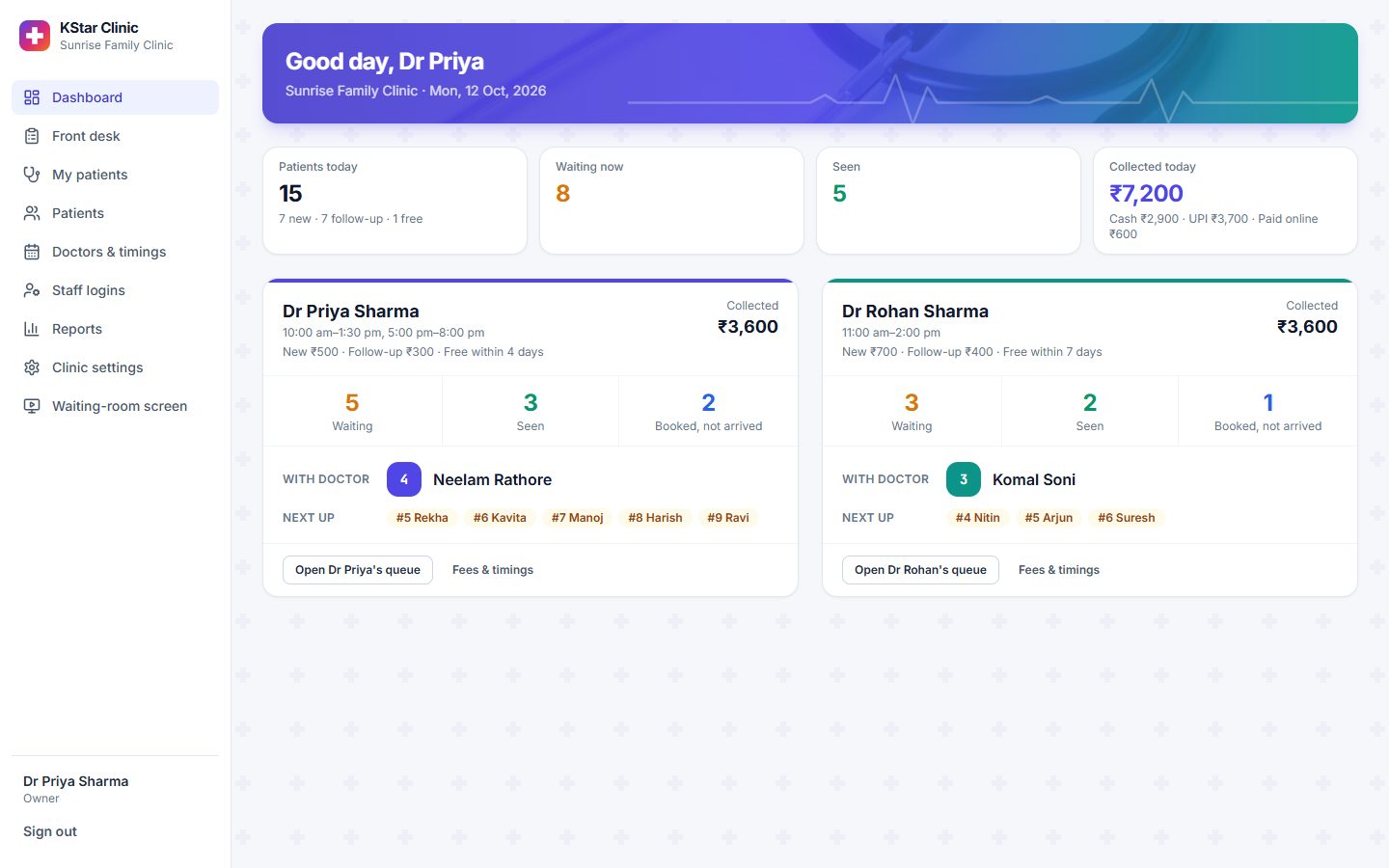
Two doctors, two sets of rules, one dashboard
See every doctor's queue and today's collection at a glance. Set fees, timings and leave for each doctor.
- Different fees and free-revisit days per doctor
- Collections by cash, UPI, card and online
- Every fee the desk changed, with the reason
- Staff logins with the right access for each role
Your fee rules, applied every time
Set them once per doctor. The desk never has to remember who paid when.
Example amounts from the demo clinic. Each clinic sets its own.

See it working, for your clinic
We show you the whole system on a short call or at your clinic. Then we set it up with your doctors, fees and timings, and train your desk. One fixed price, agreed up front.
+91 86195 38716Already using KStar Clinic?
Sign in with the login your clinic gave you.